Why OBSDN Trade analysis needs structure
Most traders treat charting software as the entire ecosystem. That is a mistake. Charting tells you what happened; it does not tell you how to systematize the learning. Without a structured data infrastructure, your OBSDN Trade analysis remains a collection of fragmented screenshots and memory gaps. You need a system that captures every data point, not just the ones that look good in hindsight.
The foundation of successful analysis is an offline-first architecture. Relying on cloud-synced spreadsheets or web-based journals introduces latency and vulnerability. When you are analyzing market movements in real-time, you cannot afford to wait for sync cycles or worry about server outages. Obsidian’s local-first design ensures your trade data remains private and accessible, a critical factor for high-stakes market analysis. Your data lives on your machine, encrypted and immediate, ready for deep dives without network friction.
Think of your analysis infrastructure like a trading journal’s backbone. It needs two main pillars: Trade Capture and Performance Analysis. Trade capture is the system that records every trade with sufficient detail for meaningful analysis. This includes entry logic, exit rationale, and emotional state at the moment of execution. Performance analysis is where you aggregate that data to find patterns. If your capture system is sloppy, your analysis will be garbage.
Technical analysis tools are secondary to this structure. They are the lens, not the camera. You can have the best indicators in the world, but if you cannot reliably tag and retrieve past examples of those indicators failing or succeeding, you are not learning—you are just watching. Structure turns noise into signal.
Core infrastructure for trade capture
Accurate trade analysis begins with reliable data entry. If your trade logs are messy or incomplete, your OBSDN Trade analysis will be flawed regardless of how sophisticated your statistical models are. The goal here is to build a system that captures every trade detail automatically or with minimal friction, ensuring your dataset is clean and ready for review.
You need plugins that integrate directly into your Obsidian vault, offering templates and automation to standardize how you record entries. Below, we compare two of the most robust options available for traders who want to own their data.
| Plugin | Automation | Community Support | Ease of Setup |
|---|---|---|---|
| Journalit | High (Dashboard & Templates) | Active GitHub & Website | Moderate (Requires configuration) |
| Journalit (GitHub Repo) | Medium (Manual Entry) | Developer-maintained | Easy (Download & Enable) |
| Obsidian Native Templates | Low (Manual Entry) | Built-in | Easy (Create Markdown files) |
| Custom CSV Import | Low (Batch Import) | None (DIY) | Hard (Requires scripting) |
Journalit for Structured Logging
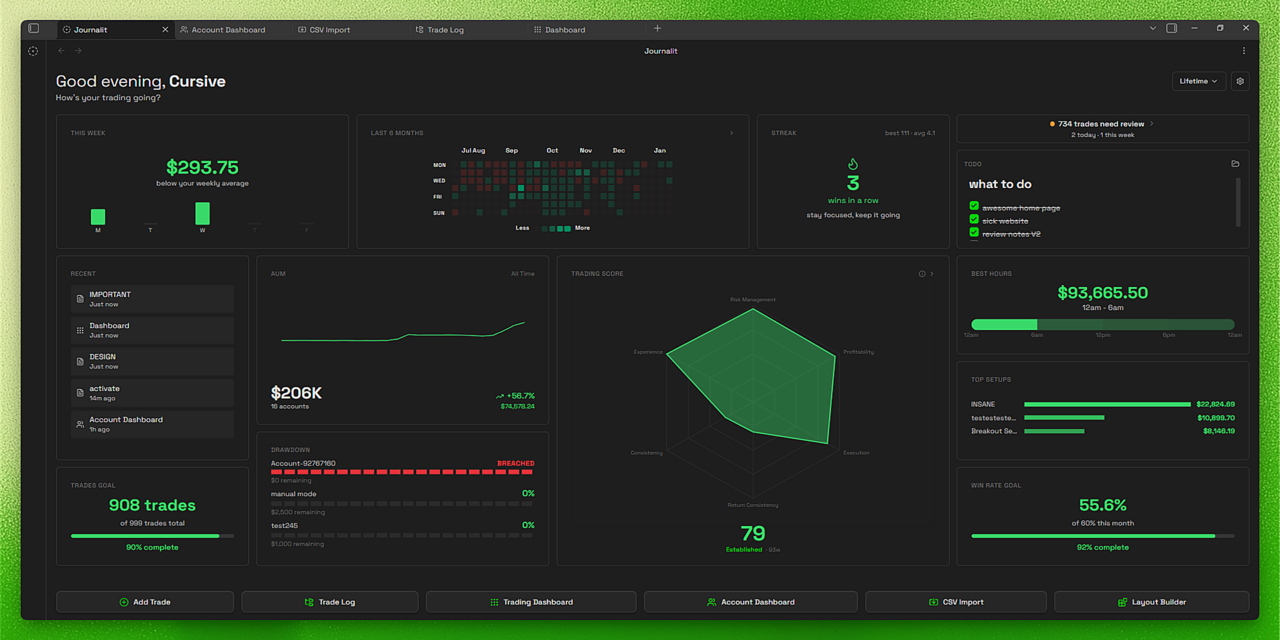
Journalit stands out because it treats your trading journal as a dashboard, not just a list of notes. It allows you to track performance metrics and patterns at a glance, which is essential for identifying behavioral biases in your OBSDN Trade analysis. The plugin offers built-in support for prop firm profit targets and drawdowns, making it particularly useful for traders who need to monitor risk limits in real-time.
The official website emphasizes that you "own your trade data," meaning everything is stored locally in your vault. This is critical for security and long-term accessibility. While the setup requires some initial configuration to link your broker data or create custom templates, the payoff is a structured, searchable database of your trading activity.
The GitHub Alternative
For those who prefer a lighter footprint, the GitHub repository for Journalit offers a more manual approach. This version is ideal if you want the underlying structure without the full dashboard overhead. It’s easier to set up initially but requires more discipline in data entry. You can pull this directly from the source, ensuring you’re using the latest code from the developer.
Regardless of which tool you choose, consistency is key. Pick one infrastructure path and stick to it. Your future self will thank you when you’re running backtests on a clean, well-structured dataset.
Visualizing OBSDN Trade Performance
Raw trade logs are just data until you give them shape. Obsidian’s visualization capabilities turn scattered notes into a coherent dashboard, allowing you to see patterns that spreadsheets often hide. By linking your trade entries to specific plugins, you can transform static text into dynamic performance metrics.
The core of this system relies on connecting your trade data to external market feeds. A popular approach, demonstrated by traders sharing their setups in communities like r/Daytrading, involves using plugins to pull profit/loss data and render it alongside your manual notes. This creates a feedback loop where historical performance is immediately visible next to the reasoning behind each trade.
To make this work, you need to integrate live market data into your vault. The most effective way is to embed provider-backed charts directly into your trade analysis pages. This allows you to visualize the OBSDN Trade asset’s movement at the exact moment of entry or exit, providing context that raw price numbers cannot.
Essential tools for market research
Building an OBSDN Trade analysis workflow requires more than just a notebook. You need a setup that captures data in real-time and processes it without friction. The right hardware and software stack turns scattered observations into a structured trading journal.
Hardware foundations
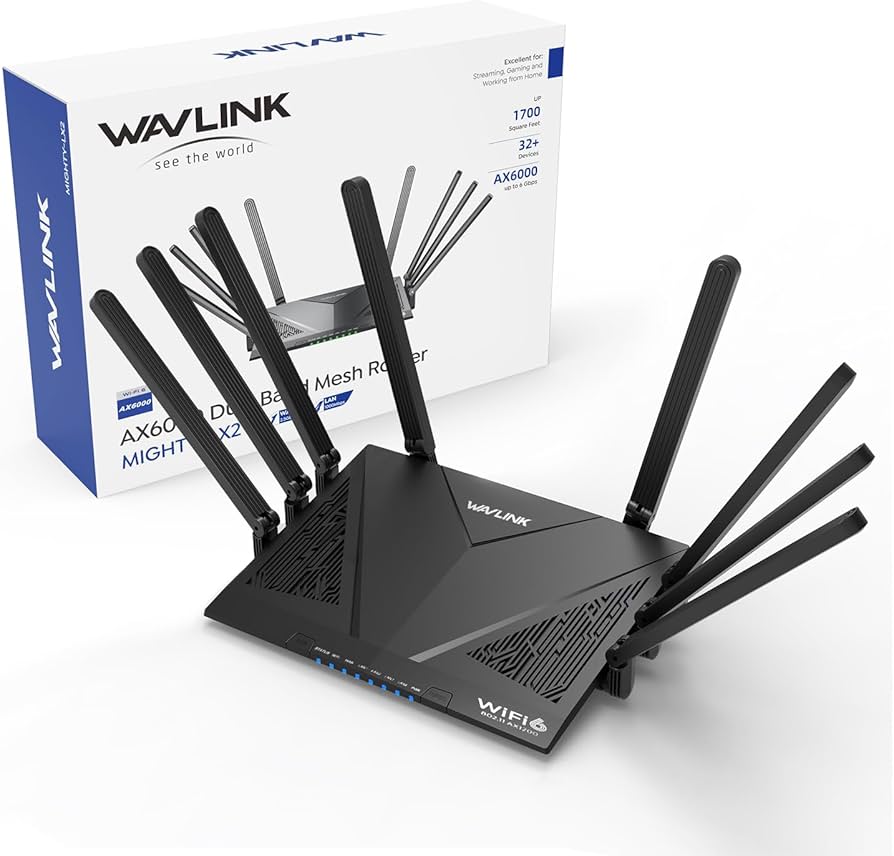
A reliable trading environment starts with stable connectivity and adequate screen real estate. A high-speed router or wired ethernet connection ensures your data feeds don’t drop during volatile moments. Dual monitors allow you to keep charting software open on one screen while your Obsidian vault and trade notes sit on the other. This separation reduces context-switching and keeps your focus on the analysis.
Software and plugins
The core of your OBSDN Trade system is Obsidian itself, enhanced by specialized plugins. Journalit is a primary recommendation for traders. It automates the capture of trade details, including entry, exit, and P/L, directly into your vault. This eliminates manual data entry errors and ensures your performance analysis is accurate.

As an Amazon Associate, we may earn from qualifying purchases.
Data visualization
To truly understand your OBSDN Trade patterns, you need to see the numbers. Plugins like Obsidian Charts or Dataview can pull data from your journal and render it as heatmaps or trend lines. This visual layer helps you spot recurring mistakes or successful strategies that text notes might miss.
The goal is to create a system that works for you, not against you. By integrating these tools, you build a robust infrastructure for long-term market research.
Building a repeatable review workflow
Consistency beats intensity when it comes to OBSDN Trade analysis. You don’t need to overhaul your entire vault every month; you need a reliable, repeatable process that catches errors before they compound. Think of this workflow as your system’s maintenance cycle—short, focused, and frequent.
The goal is to move from reactive journaling to proactive strategy refinement. By standardizing how you ingest data and extract insights, you reduce the friction of getting back into the flow. This section outlines a step-by-step process for conducting weekly or monthly OBSDN Trade analysis reviews, ensuring your notes translate directly into better execution.
For more community-driven insights on how traders structure their review processes, check out the Obsidian Forum discussion on trader workflows. This can provide additional inspiration for customizing your own system.
Common questions about trade journals
Data ownership and plugin compatibility are the two biggest hurdles when building a trading journal in Obsidian. Unlike cloud-based platforms, Obsidian stores your work locally, which means you control your own data but must manage the tools that read it.
Can I export my trade data from Obsidian?
Yes. Because Obsidian uses standard Markdown files, your trade history is never trapped in a proprietary format. You can export your vault as a zip file, move it to a new device, or import the data into other analysis tools like Excel or Python. This portability is a core advantage for traders who want to avoid vendor lock-in.
Which plugins are best for trade journals?
The Obsidian community has developed specialized plugins to handle financial data. Journalit is a popular choice that adds a dashboard for tracking performance and prop firm targets directly within your notes. For those who prefer building their own systems, the community forum is a great resource for finding scripts that automate data capture from brokers.
Do I need an internet connection to journal trades?
No. Since Obsidian is a local-first application, you can record trades, review performance, and analyze patterns offline. This is particularly useful for traders who work in areas with unstable connections or who prefer to keep their trading routine completely disconnected from the cloud until they are ready to sync.
No comments yet. Be the first to share your thoughts!