
Why traders choose Obsidian
Most trading journals lock your data behind a subscription wall. You upload your trade history to a vendor’s cloud, and suddenly that sensitive financial record is subject to their terms of service, potential breaches, or arbitrary feature changes. For serious traders, this is a significant liability. Obsidian flips this model by treating your journal as a local, plain-text Markdown vault. You hold the keys, the data, and the structure.
This shift from static spreadsheets to a networked knowledge base changes how you analyze performance. Spreadsheets are excellent for row-by-row entry but terrible for connecting the dots between a trade and the broader market context. In Obsidian, you can link a specific trade journal entry to a technical chart, a news article, or a previous lesson on risk management. It turns your trade history from a static ledger into a living graph of your trading psychology and strategy.
The flexibility extends to analysis tools. You aren't limited to the pre-built widgets of a SaaS platform. If you want to run a custom Python script to backtest a strategy against your own journal data, you can access the raw Markdown files directly. This level of access allows for deeper, more personalized performance reviews that generic platforms simply cannot support.
For those who want a structured starting point without sacrificing this ownership, tools like Journalit provide templates specifically designed for Obsidian. They handle the initial setup of trade capture and performance analysis pillars, but the underlying data remains yours. This approach ensures that your trading edge stays in your vault, not on a third-party server.
Core components of a trade journal
Effective trade analysis requires moving beyond simple entry and exit logging. A functional journal captures the full context of a trade, allowing you to audit your decision-making process rather than just your P&L. This structure supports both immediate trade capture and long-term performance analysis.
Trade capture
Trade capture is the foundation of any analysis system. It records every trade with sufficient detail to reconstruct the scenario later. Essential fields include the asset, entry price, position size, and the rationale for taking the trade. Without this granular data, you cannot identify which specific variables contributed to success or failure.
Performance analysis
Performance analysis transforms raw data into actionable insights. This component tracks metrics like win rate, average loss, and expectancy over time. By correlating these figures with your initial trade rationale, you can spot behavioral patterns—such as revenge trading or hesitation—that simple spreadsheets often miss.
Visual integration
Visual context bridges the gap between data and intuition. Integrating chart screenshots into your notes provides a reference point for market conditions at the time of entry. This helps you evaluate whether your technical analysis was sound, regardless of the outcome.
Automating data capture
Manual entry is the silent killer of trading consistency. If logging a trade feels like a chore, you will stop logging trades. The gap between execution and analysis must shrink to zero. We move from passive note-taking to automated data capture, ensuring every fill, limit, and stop is recorded with precision.
The friction of typing in prices and times creates cognitive load. You are trying to review your psychology and strategy while simultaneously acting as a data entry clerk. Automation removes this barrier. By connecting your broker or using API-driven tools, you let the system handle the boring parts so you can focus on the analysis.
For Obsidian users, the goal is data ownership. You want your journal to be a local, private asset, not a subscription service that locks your history behind a paywall. Tools like Journalit bridge this gap, allowing you to pull trade data directly into your vault while keeping the files yours. This approach respects privacy and ensures you can export or migrate your data whenever you choose.
Manual Entry vs. Automated Journals
Choosing the right method depends on your broker’s API availability and your comfort with technical setup. Below is a comparison of the two primary approaches to data capture.
| Feature | Manual Entry | API-Connected (e.g., Journalit) |
|---|---|---|
| Speed | Slow (30-60s per trade) | Instant (auto-sync) |
| Accuracy | Prone to typos | Exact execution data |
| Data Ownership | Full control | Depends on tool (e.g., Journalit exports to Obsidian) |
| Setup Complexity | None | Medium (API keys, templates) |
Community Verification
Traders who have switched to automated systems often report a significant increase in review frequency. The community consensus suggests that when logging becomes effortless, the quality of post-trade analysis improves dramatically.
Market Context
While your journal tracks your performance, keeping an eye on the broader market helps contextualize your wins and losses. Real-time data ensures your analysis isn't happening in a vacuum.
Find patterns in winning vs. losing trades
A trading journal is only as useful as the insights it yields. Raw data is just noise until you can see the shape of your performance. Obsidian’s graph view and Dataview queries turn isolated notes into a connected map of your trading behavior, allowing you to spot trends that spreadsheets often hide.
Start by visualizing the connections. The graph view reveals how your notes cluster. You might notice that all your "loss" tags are linked to specific asset classes or time blocks. This visual clustering helps you identify systemic weaknesses—like a tendency to overtrade during low-volume hours—without needing complex statistical software.
For precise analysis, use Dataview to query your trade records. A simple table query can filter trades by outcome, PnL, or strategy, letting you compare winning setups against losing ones side-by-side. This data ownership means your analysis stays private and under your control, free from the limitations of third-party journaling apps.
"Pillar 2: Performance Analysis — The system that records every trade with sufficient detail for meaningful analysis." — How to Build an Obsidian Trading Journal That Gets Smarter With ...
By combining visual graph insights with structured Dataview tables, you create a feedback loop. You stop guessing why a trade failed and start seeing the pattern, turning your journal into a true analytical engine rather than just a record keeper.
Essential tools for OBSDN analysis
A trading journal is only as good as the data you can input and the charts you can reference. For OBSDN analysis, you need hardware that supports rapid entry and software that respects your data sovereignty. The goal is to build a system where your trade logs and technical indicators live in the same workspace, without relying on third-party cloud locks.
Hardware for rapid trade logging
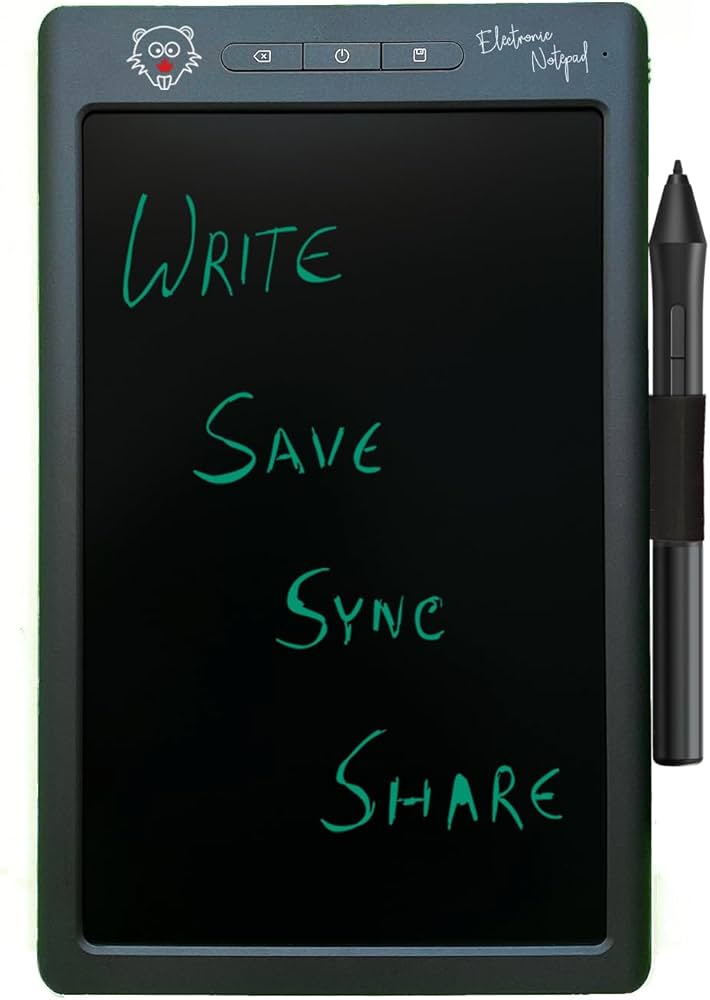
Speed matters when the market moves. A mechanical keyboard with tactile switches helps you enter trade details quickly without fatigue during long sessions. Pair this with a second monitor or a high-resolution tablet to keep your charting software visible while you write. This physical separation of analysis and documentation reduces cognitive load, letting you focus on the trade rather than window-switching.

As an Amazon Associate, we may earn from qualifying purchases.
Software for data ownership
Most trading journals store your data on their servers, making it hard to analyze trends across years or export for tax purposes. Journalit journalit.co addresses this by building a trading journal specifically for Obsidian users. It allows you to track trades, customize templates, and review performance while keeping your data local. This approach ensures that your trade history remains yours, enabling deep, long-term analysis of your OBSDN strategies without vendor risk.
Technical context
While your journal handles the narrative of your trades, you still need real-time technical data to inform your decisions. Use provider-backed tools for live charts and price widgets to ensure your analysis is grounded in current market conditions, not stale snapshots.
Common questions about trade journals
Choosing the right analysis tool depends on whether you prioritize automated data feeds or manual flexibility. While platforms like Finzer aggregate stock metrics for quick screening, many traders prefer dedicated charting software that supports technical indicators like Elliott Wave or Fibonacci retracements for deeper market context.
Technical analysis remains the most widely used method for short-term trading, particularly in commodities and FX markets where price action drives decisions. However, for building a robust journal, the "best" tool is often a local note-taking system like Obsidian. This approach ensures you retain full ownership of your trade data and analysis, avoiding the privacy risks associated with cloud-based SaaS platforms.
No comments yet. Be the first to share your thoughts!