Why Obsidian Fits Trade Analysis
Most trading platforms force you into a walled garden. You log in, record your entries, and hope the data persists. Obsidian flips this model. It treats your trading journal as a collection of plain text files stored locally on your machine. This local-first approach is not just a privacy feature; it is an infrastructure choice that protects your intellectual property.
When you trade, your notes contain more than just numbers. They hold your psychological triggers, your specific market hypotheses, and your unique edge. If a SaaS provider goes bankrupt or changes its pricing model, that context can vanish. With Obsidian, your markdown files remain yours. You own the raw data, and you can access it even if the internet goes down.
This structure also allows for deep linking. You can connect a trade log from 2024 to a broader strategy note on market regimes. This creates a knowledge graph of your trading career, making it easier to spot patterns over time. As traders discuss in community forums, this interconnectedness turns a simple diary into a powerful analytical tool.
By keeping your data local, you eliminate the risk of vendor lock-in. You can export your notes to any text editor or script them with Python for backtesting. This flexibility ensures that your trading edge is built on a foundation you control, not one rented from a third party.
Essential Plugins for Trading Journals
Manual data entry is the fastest way to kill trading momentum. If you are spending ten minutes copying trade details from your broker into a spreadsheet after every session, you are not analyzing; you are typing. This friction creates a backlog of unreviewed trades, making it impossible to spot recurring mistakes before they cost you money. The solution is to let plugins handle the heavy lifting, keeping your focus on market structure and decision-making.
Journalit: Local-First Automation
Journalit is the most robust option for traders who prioritize data privacy and speed. Unlike cloud-based journals that require you to upload sensitive account data to third-party servers, Journalit operates locally within your Obsidian vault. Your trade history never leaves your device, which is a critical security feature for high-stakes trading environments where data leaks can be exploited.
The plugin bridges the gap between your broker and your journal. It supports CSV imports and direct sync with MT4/MT5 terminals, meaning you can automate the ingestion of trade logs. Once the data is in, Journalit generates an analytics dashboard that highlights win rates, profit factors, and drawdowns without you having to write a single line of code or formula. You can also attach review templates to each trade, forcing yourself to document the "why" behind the entry while the memory is fresh.

Manual Entry vs. Journalit Workflow
The difference in efficiency is stark. Below is a comparison of the two primary workflows for logging trades in Obsidian.
| Feature | Manual Entry | Journalit Plugin |
|---|---|---|
| Data Input | Copy-paste from broker | CSV/MT4/MT5 sync |
| Analytics | Manual formulas or Dataview | Auto-generated dashboard |
| Privacy | Depends on storage | 100% local-first |
| Time per Trade | 5-10 minutes | <1 minute |
By automating the data layer, you free up cognitive resources for the actual analysis. The plugin handles the "what happened," allowing you to focus on the "what does it mean." This shift from data entry to data interpretation is what separates amateur journaling from professional trade review.
Building a Live Trading Dashboard
A static notebook doesn’t capture the pulse of the market. To build a live trading dashboard in Obsidian, you need to stitch together plugins that handle real-time data, position tracking, and visual analysis. The goal is a single pane of glass where your P&L and open positions update automatically, reducing the friction between seeing a signal and recording the trade.
Start by installing the Obsidian Charts plugin. This allows you to embed live TradingView charts directly into your notes. Instead of static screenshots, you can pull in dynamic technical indicators for your primary assets. This keeps your market context visible without leaving the app.
Use the Obsidian Finance plugin or a custom Dataview query to track your positions. By tagging your trade notes with metadata like status: open or entry_price, you can create a dynamic table that sums your unrealized gains and losses. This replaces manual spreadsheet updates with live, query-driven ledgers.
Integrate the TechnicalChart component to display specific asset performance. For example, viewing the TSX:OBE chart alongside your trade notes helps you correlate price action with your journal entries. This visual layer turns abstract numbers into a coherent narrative of market behavior.
Since this dashboard holds sensitive financial data, ensure your vault is encrypted and synced via a secure provider. Obsidian’s local-first nature means your data stays on your device until you choose to sync. Configure your sync settings to prioritize privacy, ensuring your trading strategy remains yours alone.
Top Gear for the Obsidian Trader
Building a setup that balances low-latency execution with deep local-first analysis requires specific hardware and software choices. The goal is to create a distraction-free environment where Obsidian acts as the central nervous system for your trade journal and strategy, while external tools handle the heavy lifting of market data.
Hardware: The Multi-Screen Foundation
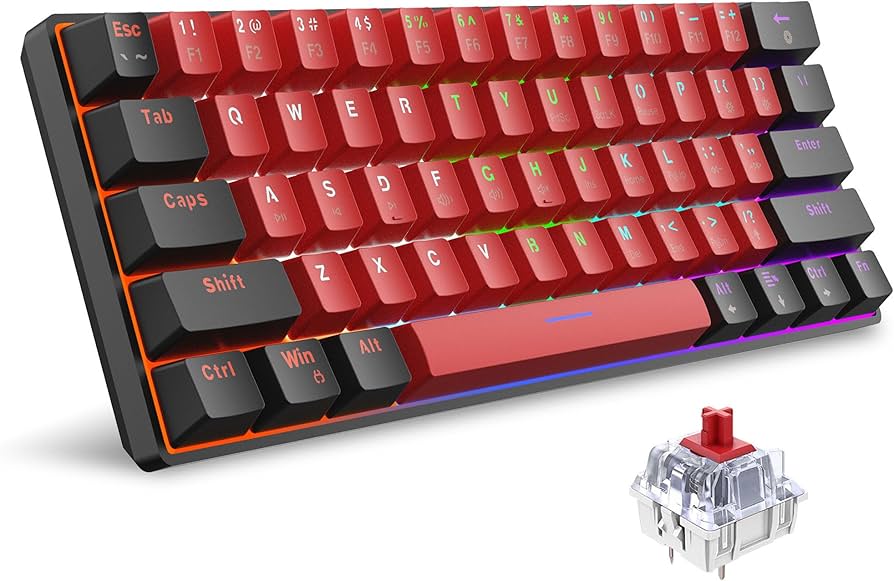
A multi-monitor configuration is non-negotiable for serious trading. You need dedicated screens for real-time charting, execution, and your Obsidian workspace. This separation prevents context-switching fatigue and keeps your notes accessible without obscuring price action.


As an Amazon Associate, we may earn from qualifying purchases.
Software: Local-First Data Privacy
Obsidian’s strength lies in its local-first architecture. Your trade journals, daily reports, and strategy notes stay on your machine, ensuring no third party accesses your sensitive financial data. To maximize this, pair Obsidian with plugins that automate data ingestion from your broker.
For traders using MetaTrader 4/5, the Journalit plugin offers CSV import and direct sync capabilities, turning raw trade data into structured reviews within your vault. This local processing means you can analyze performance metrics without uploading sensitive account details to cloud servers.
Analytics and Visualization
While Obsidian handles your qualitative notes, you need external tools for quantitative technical analysis. TradingView remains the industry standard for charting, offering robust moving averages and oscillators. Use TradingView for real-time technical signals, then export your observations as Markdown snippets into Obsidian for historical review.
This hybrid approach—real-time external charts paired with local, permanent notes—creates a feedback loop that improves your trading discipline over time. You build a searchable library of your own decision-making process, free from platform lock-in.
Community Insights and Real-World Use
Official documentation outlines the technical capabilities of Obsidian, but the real value often emerges from how traders actually implement these tools in their daily workflows. By examining real-world setups, we can see how the platform handles the specific demands of trade analysis, from automated data pulls to structured review processes.
"I created a Trading Dashboard in Obsidian... It makes use of a number of Obsidian plugins and some automation to turn my profit/loss from the day, as well as my notes, into a pretty decent dashboard."
— r/Daytrading user
This approach highlights a common strategy: using Obsidian not just as a static journal, but as an active command center. Traders frequently combine community-built plugins with simple automation scripts to aggregate daily P/L figures directly into their notes. This reduces manual entry errors and ensures that performance metrics are always current alongside qualitative trade reviews.
The Obsidian forum thread on trader workflows further confirms that users are moving beyond basic note-taking. Many share how they link trade outcomes to broader market conditions, creating a searchable knowledge base that improves over time. This interconnected approach allows traders to spot patterns in their behavior that static spreadsheets often miss.
To ground these strategies in current market conditions, here is the live price for the OBSDN token, which many traders track alongside their internal metrics.
Checklist for Your 2026 Setup
Building a reliable OBSDN trade analysis infrastructure requires more than just installing a few plugins. It demands a structured workflow that captures data locally, syncs with your broker, and provides immediate visual feedback. This checklist ensures your Obsidian vault is ready for high-stakes trading decisions.
With these steps complete, your Obsidian environment is configured to handle the complexity of OBSDN trade analysis. Focus now on maintaining the discipline of your daily reviews to extract maximum value from your setup.
No comments yet. Be the first to share your thoughts!