Setting up the OBSDN Trade guide
This guide focuses on the infrastructure that powers real-time market analysis. We are looking at the tools that aggregate data and the systems that display it, rather than discussing specific price predictions or speculative trading advice. Understanding the underlying mechanics of how data is collected and processed is essential for any serious analysis.
The OBSDN Trade guide is built around the concept of smart aggregation. Instead of relying on a single source of truth, modern trading infrastructure queries multiple decentralized exchanges simultaneously. This approach ensures that the data you see reflects the most accurate and competitive rates available across the market.
By focusing on the tools themselves, we can establish a baseline for how real-time data flows from the blockchain to your screen. This foundation allows you to interpret market movements with greater clarity and confidence, regardless of the specific assets you are tracking.
Aggregating market data sources
To get a unified view of market conditions, you need to consolidate data from multiple decentralized exchanges (DEXs). Relying on a single source often leaves you with incomplete or stale information, especially during high volatility. Obsidian’s smart aggregator system solves this by querying multiple DEXs simultaneously, identifying the best trading rates, and selecting the most favorable liquidity pools in real time.
This approach transforms fragmented data into a single, actionable stream. Instead of manually checking several platforms, the infrastructure handles the heavy lifting, ensuring you see the true depth of the market. By aggregating these sources, you reduce latency and gain a clearer picture of where liquidity actually resides, which is essential for executing trades efficiently.
The following tools and methods help compare aggregation methods based on latency, coverage, and reliability:
| Method | Latency | Coverage | Reliability |
|---|---|---|---|
| Single DEX | Low | Limited | High |
| Multi-DEX Aggregator | Medium | Broad | High |
| Cross-Chain Bridge | High | Global | Medium |

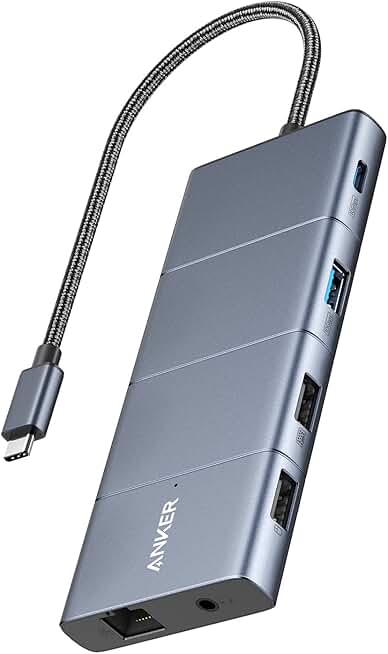

As an Amazon Associate, we may earn from qualifying purchases.
When setting up your infrastructure, prioritize tools that minimize the time between data query and execution. A robust aggregation layer not only improves your trade quality but also reduces the risk of slippage caused by fragmented liquidity.
Visualizing price action with charts
OBSDN Trade works best when the purchase path is explicit. Verify the source, compare the offer against real alternatives, check the total cost, and confirm what happens after payment before you decide. After each comparison, write down the one risk that would change your mind. If the seller, condition, support, warranty, shipping, or upkeep still feels uncertain, resolve that question before moving to checkout.
The simplest way to use this section is to verify the seller, compare the total cost, and resolve the biggest risk before you commit.
Tracking live market metrics
Static spreadsheets and end-of-day reports are too slow for real-time trading. To stay ahead of volatility, you need live data feeds that update as the market moves. This section shows you how to integrate provider-backed widgets directly into your OBSDN Trade Guide workflow.
Real-time price tracking
Relying on cached prices can lead to bad entries or exits. Embedding a live price widget ensures you are always looking at the current bid and ask. This is essential for assets with high volatility, where prices can shift by the second.
Technical analysis integration
Price alone doesn't tell the whole story. You need to see volume, market cap, and trend indicators simultaneously. The provider-backed chart widget allows you to layer technical indicators like RSI or moving averages over live price action.
Build a repeatable research workflow
Trading is a process, not a gamble. If you skip the setup, you’re guessing. This workflow forces you to verify data before you commit capital. It turns chaotic charts into a structured checklist.

Start with the tools. Use a TechnicalChart for live price action and a PriceWidget for quick reference. Don’t rely on static screenshots that age poorly. Ensure your primary keyword cluster, like real-time analysis, is visible in your dashboard.

Before entering, confirm the pattern. Look for clear support and resistance levels. If the chart is messy, step back. Clarity beats speed every time. Use the chart to confirm your thesis, not to justify a pre-decided trade.
Check your journal. What worked last week? What failed? Use a plugin like Journalit to track these notes. Your past mistakes are the best risk management tool you have. Write down why you are entering now.
Place the trade. Then, immediately log it. Record the entry, exit, and emotional state. This data fuels your next review. Consistency in logging builds consistency in trading.
This structure removes emotion. It replaces impulse with procedure. Your tools should serve the process, not distract from it.
Common questions about OBSDN Trade
Many readers confuse the geological material with the digital infrastructure. Obsidian Trade refers to the workflow of using Obsidian.md for financial analysis, not the volcanic glass. The distinction matters because the tools, plugins, and data sources we discuss are built for software, not rock collecting.
Is Obsidian a trading platform?
No. Obsidian is a local note-taking application. It does not execute trades, connect to brokers, or hold funds. Instead, it acts as a central hub for your analysis. You might use it to log trades, backtest strategies, or store research notes. For execution, you still need a dedicated broker or exchange interface.
How do I get real-time market data?
Obsidian does not pull live prices by default. To get real-time charts and prices, you need plugins like TechnicalChart or PriceWidget. These components connect to provider-backed data sources. Without these plugins, your notes will only contain static text or manually entered data, which is insufficient for real-time analysis.
Can I track performance automatically?
Manual entry is error-prone. Plugins like Journalit can import trade data from brokers or allow you to log entries quickly. This keeps your analytics accurate. However, complex performance attribution often requires exporting data to Excel or Python. Obsidian is best for qualitative review and quick quantitative snapshots, not deep algorithmic backtesting.
No comments yet. Be the first to share your thoughts!